Feature Overview

Steer architecture transparently: from model to deployment view

TOMATo combines modeling, visualization, drawing logic and governance in one continuous workflow. Teams keep visibility, make informed decisions and keep architecture reliably up to date.

A reliable architecture truth

Systems, relations and views live in one consistent model instead of scattered islands.

Faster from questions to decisions

Stakeholders see dependencies, responsibilities and impacts directly in the right views.

Controllable in daily operations

Governance, roles and collaboration remain traceable without custom side solutions.

Where TOMATo creates the biggest leverage

For architecture and platform teams

Model complex landscapes in a structured way and keep them consistent across domain and technical boundaries.

  • Clear system hierarchies with robust relations.
  • Visible dependencies instead of implicit knowledge.
  • Fewer media breaks in architecture reviews.

For delivery and operations teams

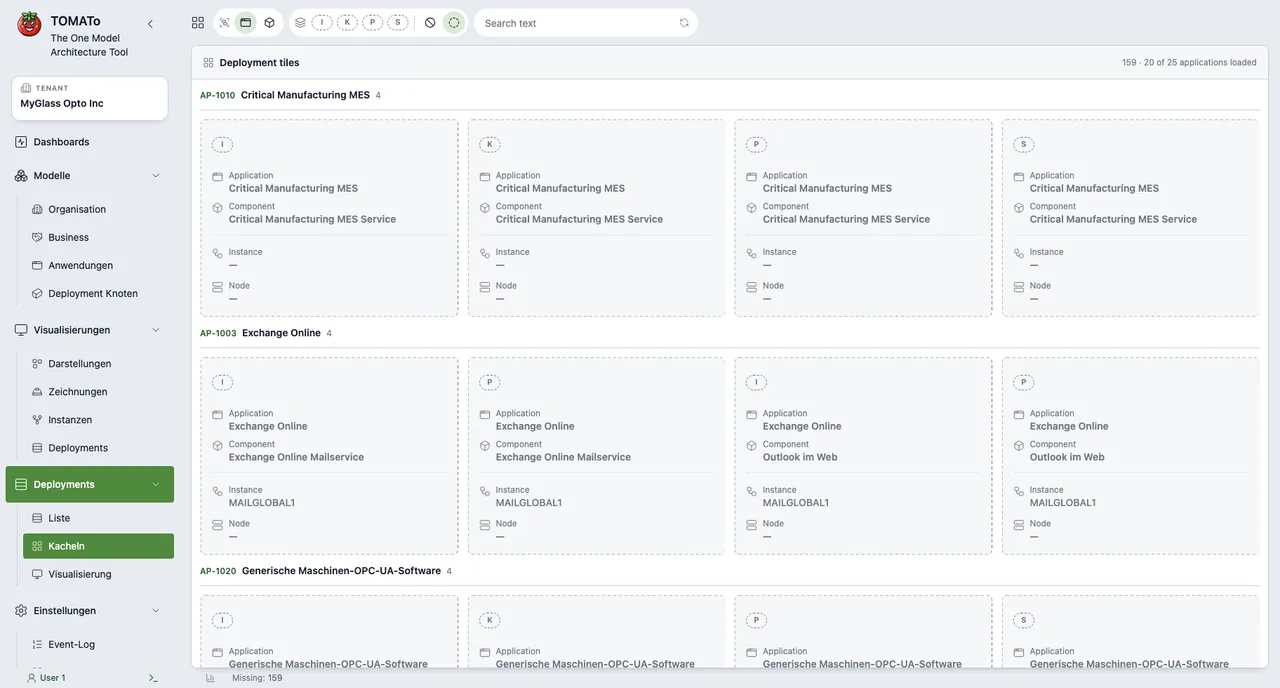
Capture deployment nodes, interfaces and responsibilities faster and transfer them into operational views.

  • Find relevant systems by context in seconds.
  • Use deployment/runtime views without parallel maintenance.
  • Anchor changes transparently with ownership.

For leadership and governance

Make architecture state transparent, justify priorities and enforce standards reliably.

  • Establish one language across teams.
  • Enforce governance rules without tool breaks.
  • Align roadmaps to the current model instead of assumptions.

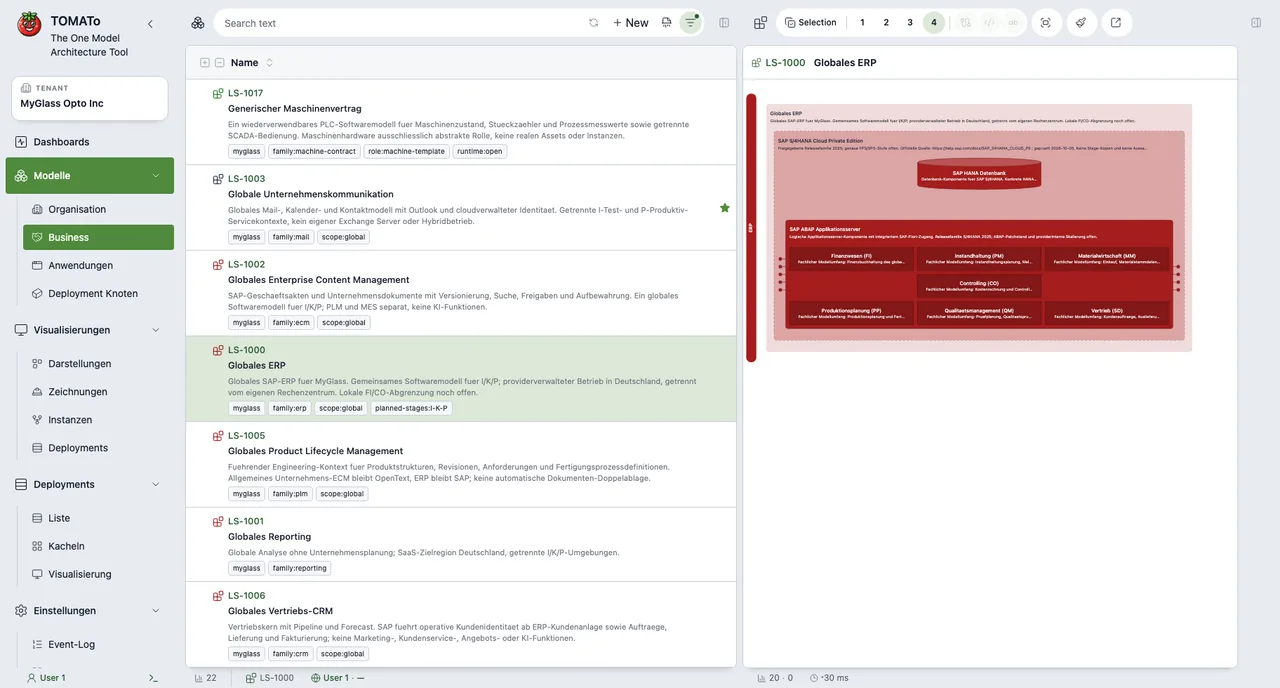
Modeling

Capture and maintain system landscapes in a structured way.

  • Manage systems with type, layer, render type, status and tags.
  • Use per-type categories (for example OZ and DN categories) in a controlled way.
  • Define per-type custom fields and maintain them in system dialogs.
  • Model system hierarchies based on defined rules.
  • Control colors, layout states and per-object rendering.

Relations

Document technical and business links clearly.

  • Define relations between systems including protocol and description.
  • Maintain global relation rules with cardinalities (1:1, 1:n, n:m).
  • Keep naming and color semantics for relation types consistent.

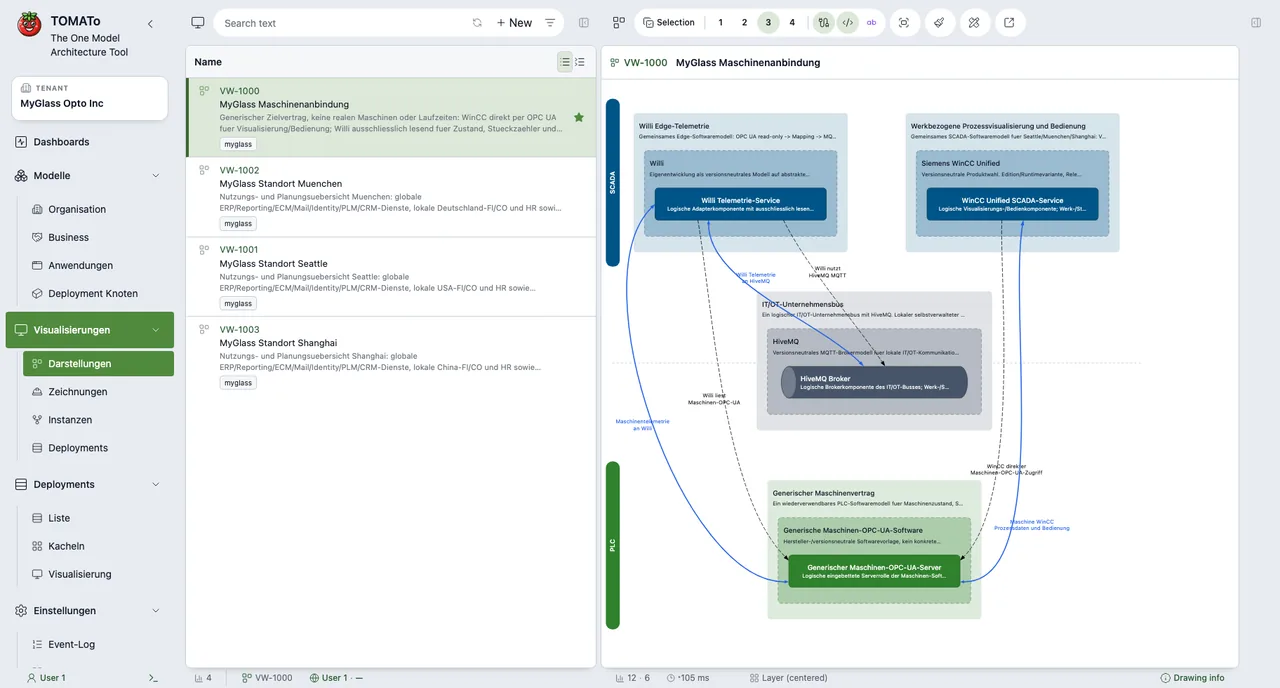
Views and Visualization

Reduce complexity through focused views.

  • Create, share and favorite views for different target groups.
  • Use interactive visualization with multiple detail levels.
  • Synchronize drawings and model bidirectionally (Pull from model / Save to model).
  • Run selective reconciliation with per-relation conflict decisions.
  • Structure representations clearly for different audiences.

Export

Transfer models into additional formats.

  • Export to PlantUML, Structurizr, SVG and PPT objects.
  • Generate view summaries with drawing badges and relation overviews.
  • Provide drawing bills of material per view with all relevant elements.

Governance and Security

Rule-based work with clear guardrails.

  • Control responsibilities, approvals and visibility transparently.
  • Document changes clearly and align across teams.
  • Treat unowned systems as public by invariant; readonly/private only with owner or owner-group assignment.
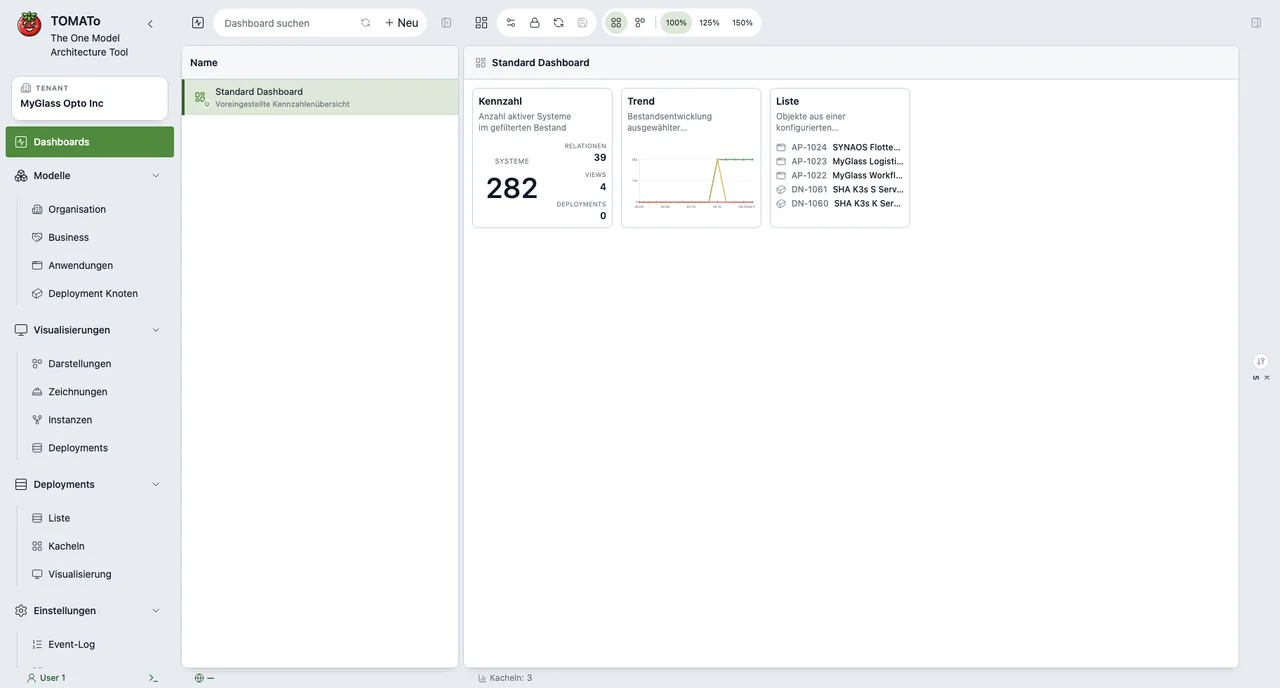
  • Use change tracking with counters for views, systems and relations.
  • Separate model major version and drawing minor version for clean change histories.
  • Apply role/owner mechanics and visibility concepts for views.

Collaboration and Visibility

Shared collaboration with clear visibility and view concepts.

  • Provide global and team-specific views for different audiences.
  • Control per-view visibility: private, team-scoped or globally shared.
  • Collaborate on one model through shared views, favorites and aligned ownership.

How teams work with TOMATo

STEP 01

Build structure

Capture systems, types, layers and relations to create a reliable architecture baseline.

STEP 02

Tailor views

Create and filter target-group views and condense architecture through visualization.

STEP 03

Steer in daily work

Manage changes, ownership and usage in one continuous model instead of isolated artifacts.

System Types

Organisation

Organisationseinheiten und Verantwortungsräume.

Business Process

End-to-End Geschäftsprozesse.

Business Capability

Fähigkeiten des Business als Strukturanker.

Logisches System

Logische Systemgrenzen, z.B. ERP oder MES.

Rolle

Fachliche Rolle bzw. Benutzerperspektive.

Applikation

Anwendungsinstanzen innerhalb der Landschaft.

Komponente

Technische Komponenten innerhalb einer Applikation.

Modul

Feinere Aufteilung in funktionale Module.

Interface

Schnittstellenobjekte und Integrationspunkte.

Deployment Node

Deployment- bzw. Runtime-Umgebung.

Datenobjekt

Fachliche oder technische Datenartefakte.

Relation Types

Technische Schnittstelle

Technische Kommunikationsbeziehung zwischen Systemen.

Datenfluss

Fluss von Daten zwischen Komponenten oder Systemen.

Business Beziehung

Fachlicher Zusammenhang unabhängig von der Technik.

Implementation Relation

Implementierungsbeziehung, z.B. Komponente auf Plattform.

Deployed on

Zuordnung von Komponenten auf Deployment Nodes.